Bitmap Tracing, Vectorization, and DXF Conversion: What Is the Difference?
Understand the boundary between bitmap tracing, vectorization, and DXF conversion so you can choose the right preparation and output workflow.
Direct answer
Bitmap tracing reads pixels and estimates visible edges. Vectorization turns those edges into editable paths for a graphics workflow. DXF conversion maps suitable paths or existing vector objects into CAD exchange geometry. They can be parts of one pipeline, but none of them automatically supplies dimensions, production rules, or the intent behind a drawing.
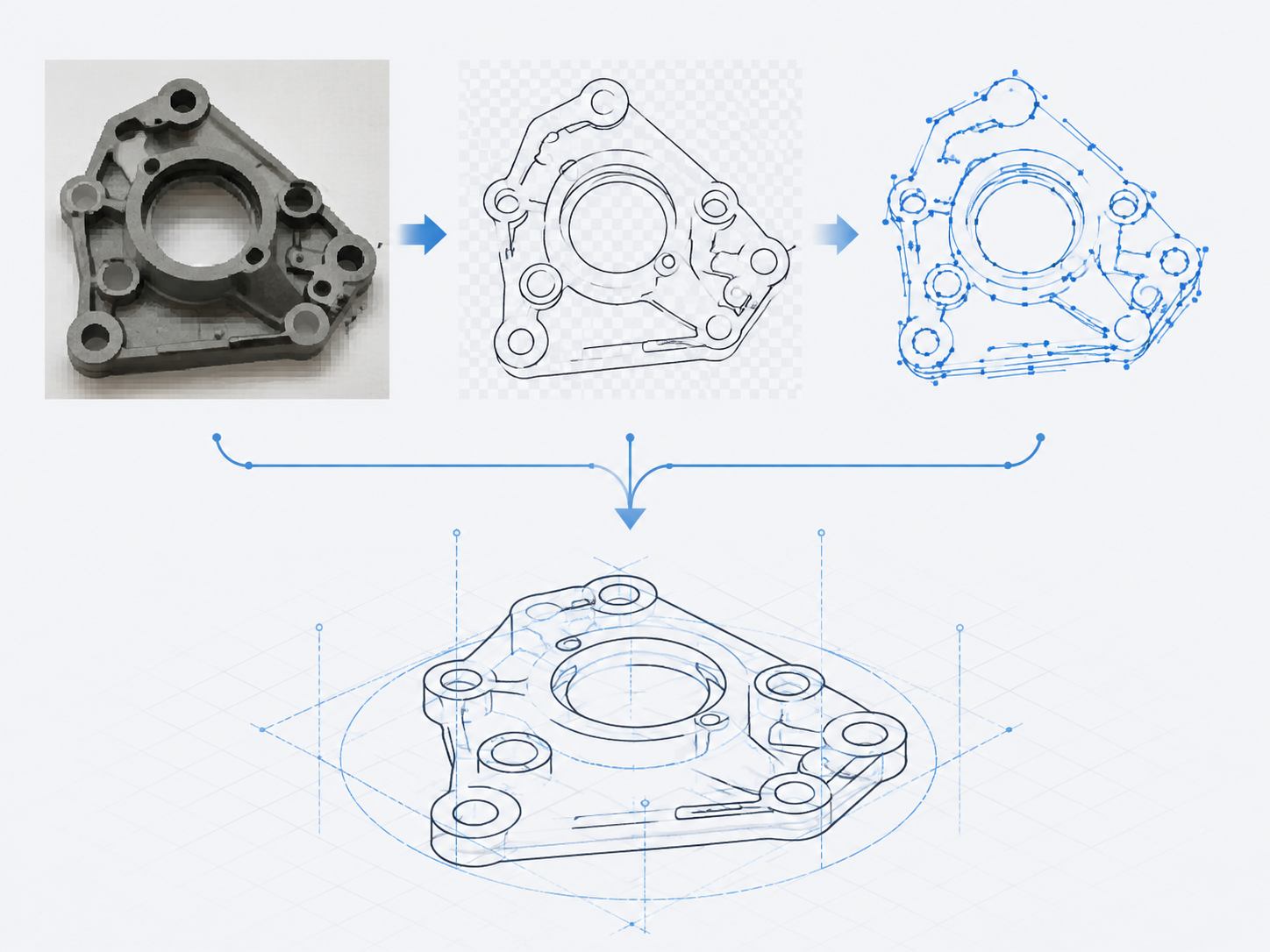
The boundary in one table
| Stage | Input | Main result | Best use | It does not decide |
|---|---|---|---|---|
| Bitmap tracing | JPG, PNG, scan, photo | Detected visible contours | Recovering a clean outline from a simple image | Missing edges, true dimensions, design intent |
| Vectorization | Raster artwork or line art | Editable vector paths, often SVG/EPS | Logos, icons, illustrations, scalable line art | CAD units, manufacturing layers, process requirements |
| DXF conversion | Suitable paths or vector geometry | CAD exchange geometry in DXF | CAD review, drawing exchange, downstream technical workflows | Whether the geometry is approved for cutting or production |
Which workflow should you use?
Use Line Art first when the source is a photo or scan with a distracting background and you need a simpler black-and-white outline. Use Image to Vector when your main goal is editable SVG, EPS, or general vector artwork. Use the Image to DXF converter for a clear raster source heading into CAD, or SVG to DXF when you already have editable SVG paths.
For apparel patterns, tracing visible outlines is only the start. Scale, separate pieces, seam allowance, notches, grainlines, names, and grading rules are not reliably inferred from a generic bitmap. Keep the DXF as a reviewable draft until the actual CAD and pattern workflow has been checked.
A safer sequence
- Decide whether you need a visual vector file or a CAD exchange file.
- Clean the source only enough to preserve the intended contour; do not invent invisible structure.
- Trace or vectorize, then remove false paths and simplify excessive nodes.
- Export to DXF only after the remaining geometry reflects what the CAD workflow should receive.
- Validate scale, closed paths, curves, and layers in the destination software.
Use JPG, PNG, or SVG to DXF to choose the source-specific conversion path. After export, use the DXF import check for AutoCAD, ET, and CAD workflows before treating the draft as ready for downstream work.
Sources and method
Adobe defines Image Trace as conversion of raster images into editable vector artwork: Vectorize images using Image Trace. DXF's role as a drawing-exchange format: Autodesk, About Drawing Interchange File Formats. Sources checked 2026-08-03.
Tracing and vectorization FAQ
Is image tracing the same as DXF conversion?
No. Tracing extracts paths from pixels. DXF conversion writes compatible CAD geometry from those paths or from an existing vector source.
When should I clean a photo before vectorizing?
When background texture, shadows, perspective, or overlapping details would be mistaken for edges. A clean line-art step makes the next conversion more predictable.
Does a vector file contain manufacturing intent?
Not by itself. A path can be editable while still lacking scale, layers, tolerances, piece metadata, or downstream process information.