JPG, PNG, or SVG to DXF? Input Conditions and Format Choice
Choose the right JPG, PNG, or SVG to DXF workflow, prepare the source correctly, and know which output checks still belong in CAD.
Direct answer
Use SVG to DXF when the source already contains editable paths and shapes. Use PNG to DXF for clean line art, transparent artwork, or high-contrast graphics. Use JPG to DXF for a JPG/JPEG source after removing blur, shadows, and repeated compression damage. All three routes create a DXF draft that still needs CAD review.
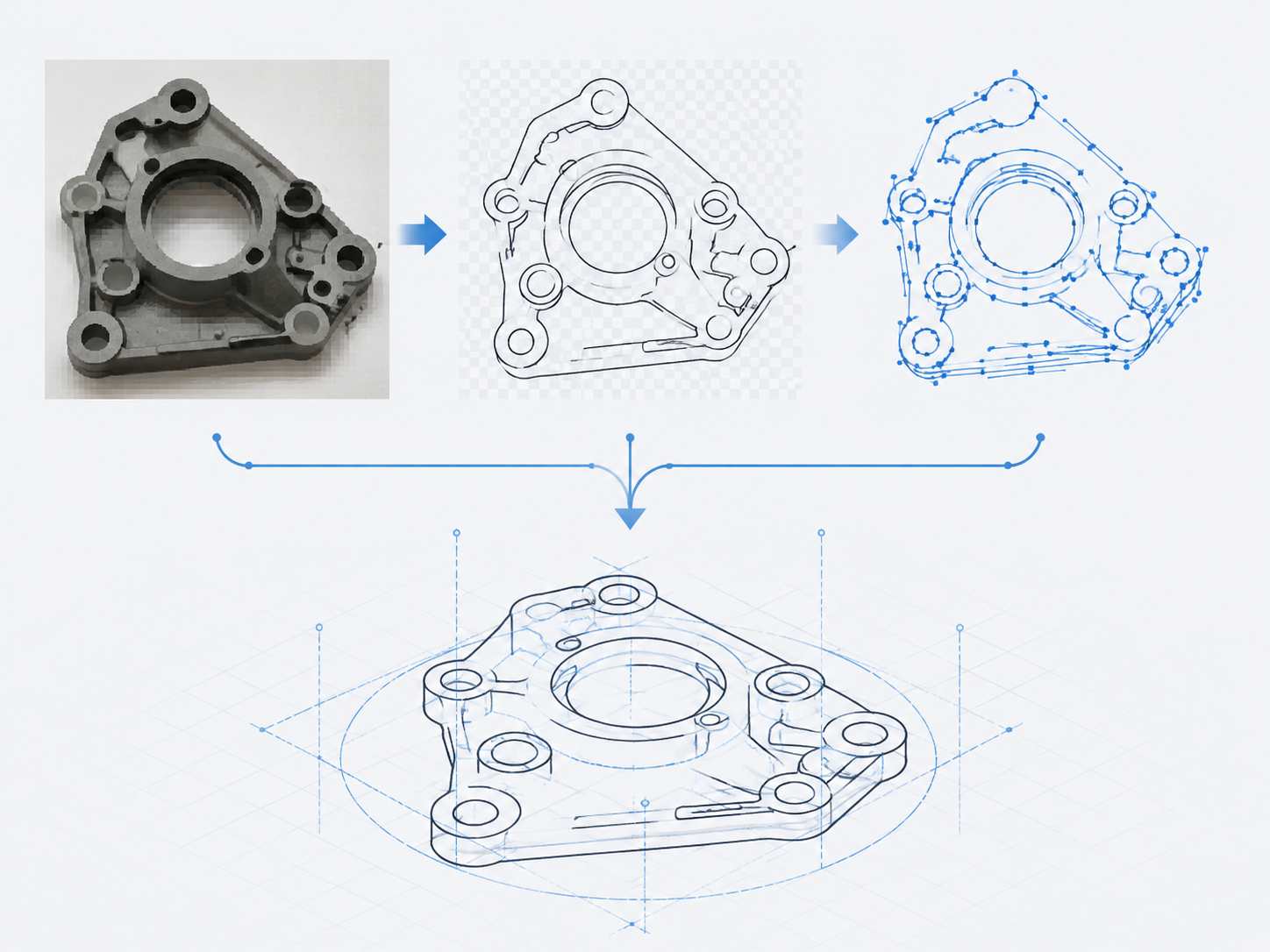
Choose by what the file actually contains
| Starting material | Best DXFTool route | Prepare before upload | Review after export |
|---|---|---|---|
| JPG or JPEG | JPG to DXF | Use the original file, crop empty margins, and remove blur or shadows where possible. | Extra nodes, false edges, scale, and closed contours. |
| PNG | PNG to DXF | Prefer separated shapes on a transparent, white, or single-colour background. | Anti-aliasing, soft shadows, and transparent-edge artifacts. |
| SVG | SVG to DXF | Convert live text to outlines; remove clipping, filters, and unwanted strokes. | Units, layers, curve interpretation, and closed paths. |
| WebP or uncertain raster input | Image to DXF converter | Use a complete, high-contrast contour with little texture. | Missing outlines, duplicated contours, units, and curves. |
Why the output differs
JPG and PNG store a grid of pixels. A converter must detect visible edges, turn them into paths, simplify them, and write supported geometry to DXF. JPEG compression, gradients, texture, and blur can therefore create extra or broken geometry.
SVG normally stores vector instructions, such as paths, shapes, and text. That avoids pixel tracing, but it does not make every SVG construct portable to CAD. Text, effects, clipping, CSS styling, and complex strokes should be resolved into the geometry you actually need before export.
A practical workflow
- Pick the converter from the table according to the source, not the keyword you searched.
- Remove elements that must not become geometry: labels, background texture, shadows, duplicate strokes, and invisible effects.
- Download the DXF and open it in the target CAD workflow. Compare it with the original at a known dimension and inspect paths before using it downstream.
For paper-pattern photos or scans that first need a clean black-and-white contour, use Line Art before tracing. For design-oriented SVG, EPS, or generic vector output, use Image to Vector.
Before handing the result to CAD or ET, follow the DXF import check for AutoCAD, ET, and CAD workflows. Opening a file is only the start; verify scale, paths, layers, and the destination workflow.
Sources and method
DXF exchange and ASCII/binary representation: Autodesk, About Importing and Exporting DXF Files. SVG text and path behaviour: W3C SVG 2. Raster-to-editable-vector tracing: Adobe, Vectorize images using Image Trace. Sources checked 2026-08-03.
JPG, PNG, and SVG to DXF FAQ
Which source format gives the cleanest DXF?
An SVG made from clean editable paths usually needs the least tracing. JPG and PNG are raster images, so their visible pixels must first be interpreted as geometry.
Does PNG always convert better than JPG?
No. PNG can preserve hard edges and transparency, but a noisy, anti-aliased PNG can still trace poorly. Contrast, complete contours, and source cleanliness matter more than the filename.
Can I send the downloaded DXF straight to production?
No. Check scale, geometry, closed paths, layers, and the downstream software or machine requirements before fabrication.