
Technical line art
A simplified black-and-white garment drawing that highlights silhouette, seams, panels, openings, pockets, topstitching, and visible construction details.
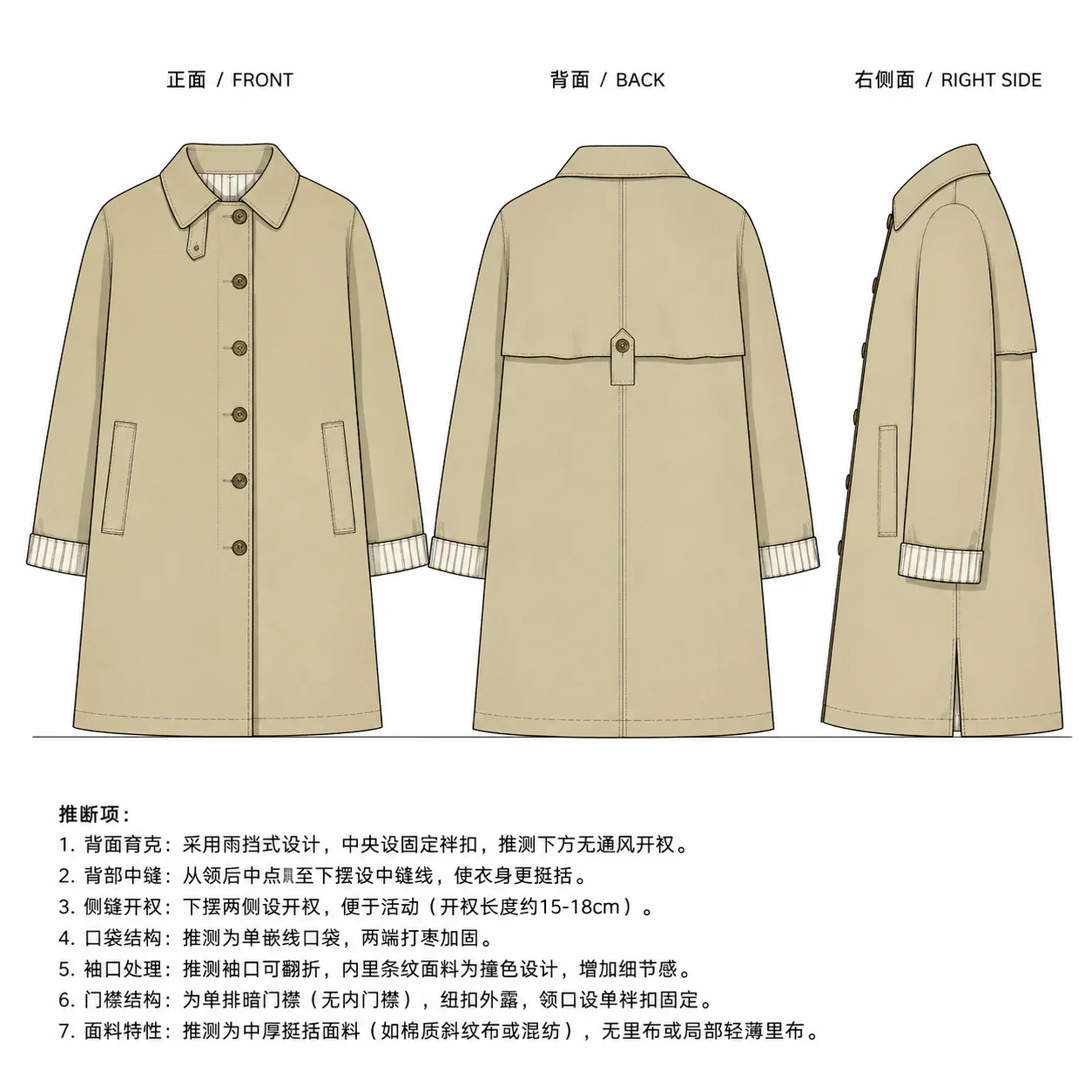
Use a garment photo or reference image to create a clean black-and-white technical line-art reference for fashion design review, flat sketch communication, and early supplier discussion.
The result is a design reference. It does not replace a final tech pack, production pattern, or professional pattern-making review.
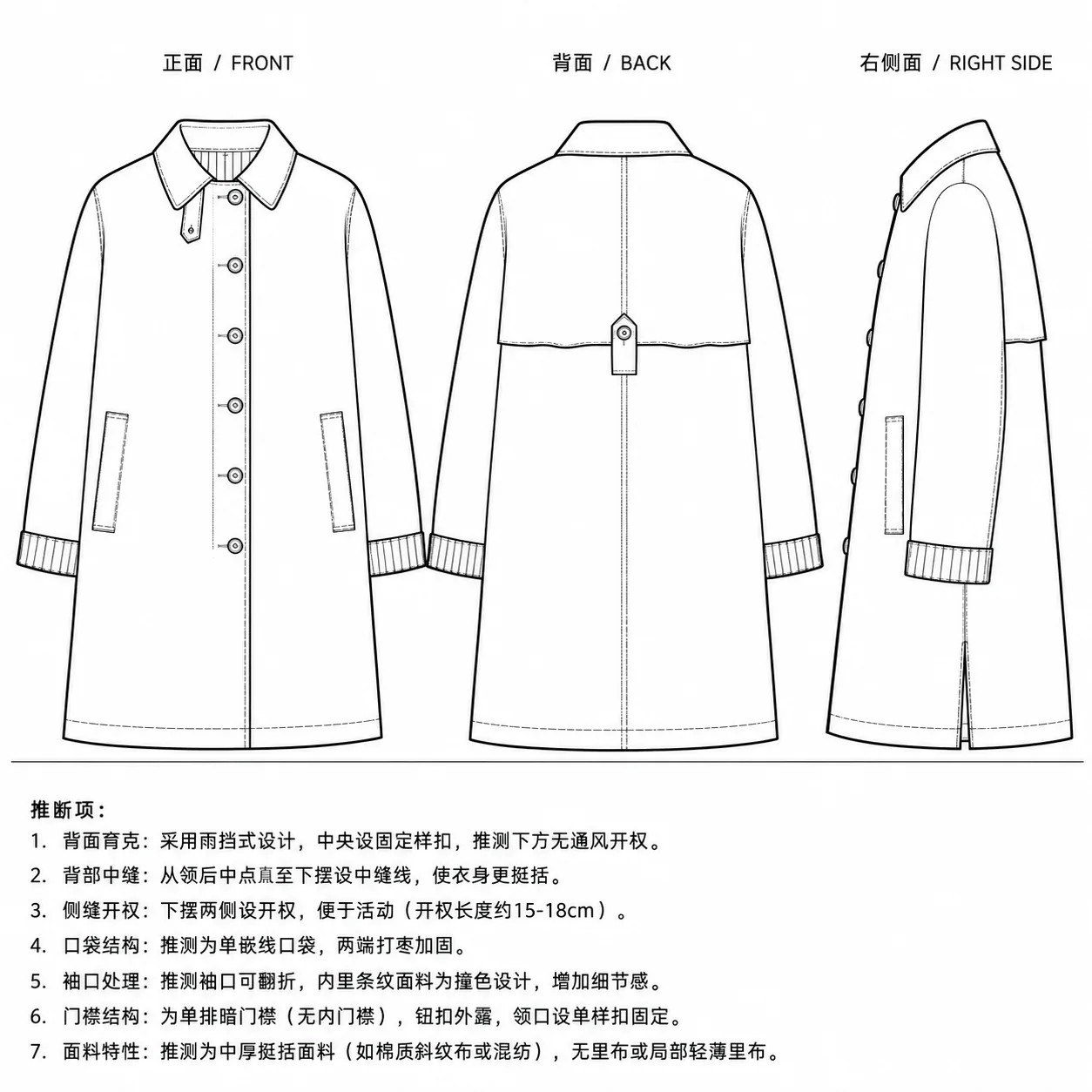
A simplified black-and-white garment drawing that highlights silhouette, seams, panels, openings, pockets, topstitching, and visible construction details.
A flat, front-facing design reference used by fashion teams to discuss garment structure before sampling or tech-pack completion.
A more expressive design image focused on mood, pose, color, or styling. It is useful for inspiration, but less precise than technical line art.
Input quality
The generator can interpret many garment references, but technical line art is more stable when the visible construction is clear.
Three-step workflow
A lightweight workflow for turning a photo into a cleaner line-art reference without pretending the output is production-ready.
Start with a clear garment photo, product image, or design reference where the silhouette and main construction details are visible.
Set line hierarchy, hidden structure, topstitch detail, and text-note behavior to match the level of technical clarity you need.
Use the result for design discussion, supplier reference, or early tech-pack drafting, then manually verify details before production.
Failure boundaries
A useful garment line drawing still needs context and review. The output should be treated as a reference image, not a manufacturing specification.
FAQ
Open the lightweight template, upload a clear garment reference, and generate a black-and-white line drawing for design review.